This guide will show you how to create a Google Search Console using WordPress.
In WordPress:
- Go to Yoast SEO (default on most WP sites, if not simply install it from the plugin store, it is free and makes life much easier for this particular task)
- Settings
- Website connections
- Click on the Google Search Console link

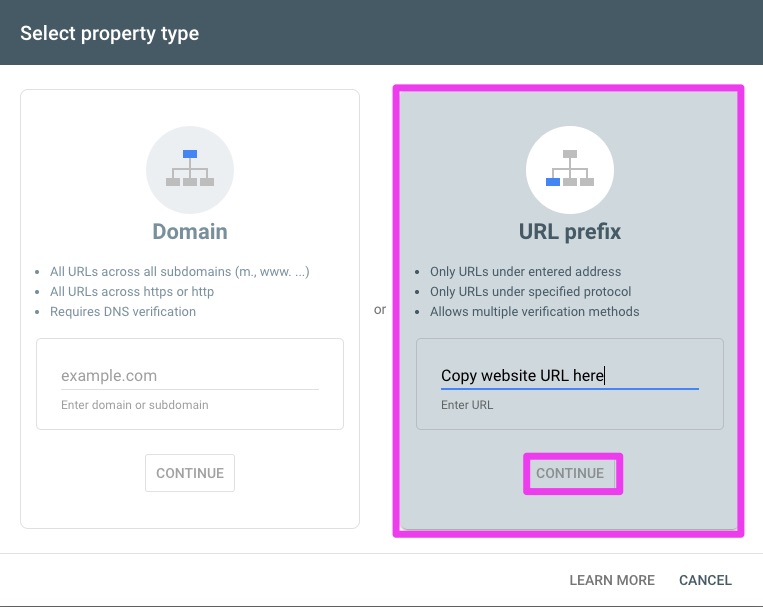
After clicking the link you will be taken to Google Search Console, here, a page with 2 options will be shown:
Now click HTML tag and insert the HTML tag into the Google field in Yoast, click save changes in Yoast before clicking the verify button in Search Console:
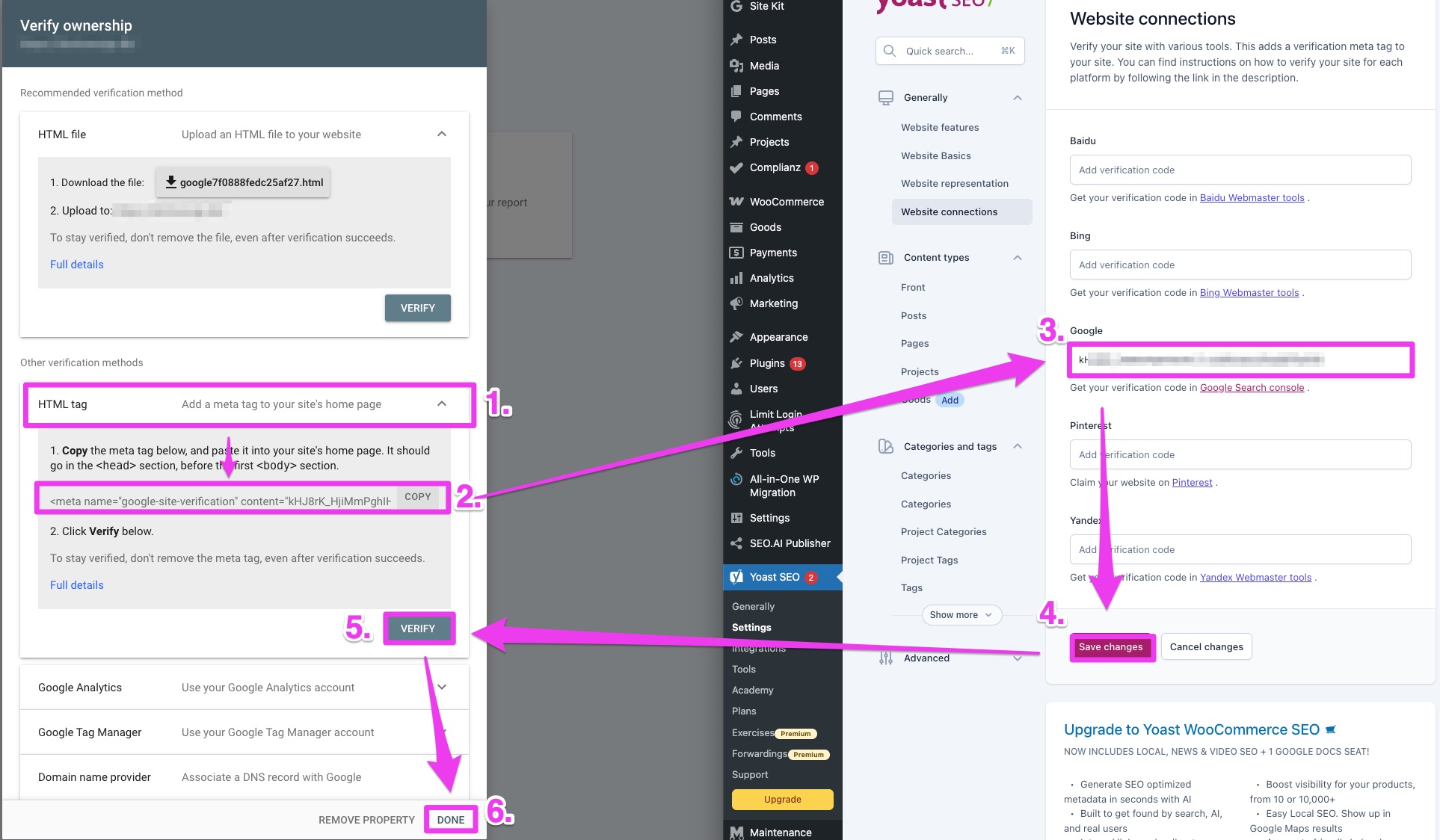
And voila! Now a Search Console has been created for your website.
If you have have had your website for a while, there will most likely be data from your site in there already, so being late is not that bad in this case.
If you have any other questions, reach out hey@seo.ai.
Want to try the #1 AI Toolkit for SEO teams?
Our AI SEO assistants helps write and optimize everything - from descriptions and articles to product feeds - so they appeal to both customers and search engine algorithms. Try it now with a free trial→